F5 Distributed Cloud > F5 Distributed Cloud: Web Application Security & Scanning Source | Edit on
Lab 3: Malicious Users
Objective:
Leverage User Identification Policies to isolate individual users.
Utilize F5 Distributed Cloud’s native AI technologies to block malicious users.
Narrative:
A recent security request came into your queue where multiple WAF violations and 403 http response codes were originating from the same public IP address. ACME’s security incident response team has asked you to block all requests coming from that public IP address as they are concerned about potential attackers successfully accessing the application and then trying to move laterally to access sensitive portions of the application without authorization. Before blocking the public IP, a conversation with the application team uncovered that the public IP address maps the headquarters of a ACME’s largest sand supplier. Since not all of the requests coming from that public IP address are attacks, your goal is to leverage F5 Distributed Cloud to identify only the specific attackers and stop their probing activities but still maintain a low-friction experience for the rest of the valid users.
Note
Expected Lab Time: 15 minutes
Lab 3 Summary-Malicious User Mitigation: Configure Malicious User identification and mitigation. In this scenario, multiple attacks were coming from the same source IP, which also carries legitimate users. Instead of blocking the entire IP (which could impact legitimate traffic), you will leverage F5’s user identification policies (using client-side signals like TLS fingerprint and IP) to pinpoint individual malicious users. You’ll then enable malicious user detection powered by ML/AI and set up mitigation actions (like blocking or challenging those users). This lab highlights how to surgically block determined attackers while maintaining a seamless experience for legitimate users.
Task 1: Creating a User Identification Policy
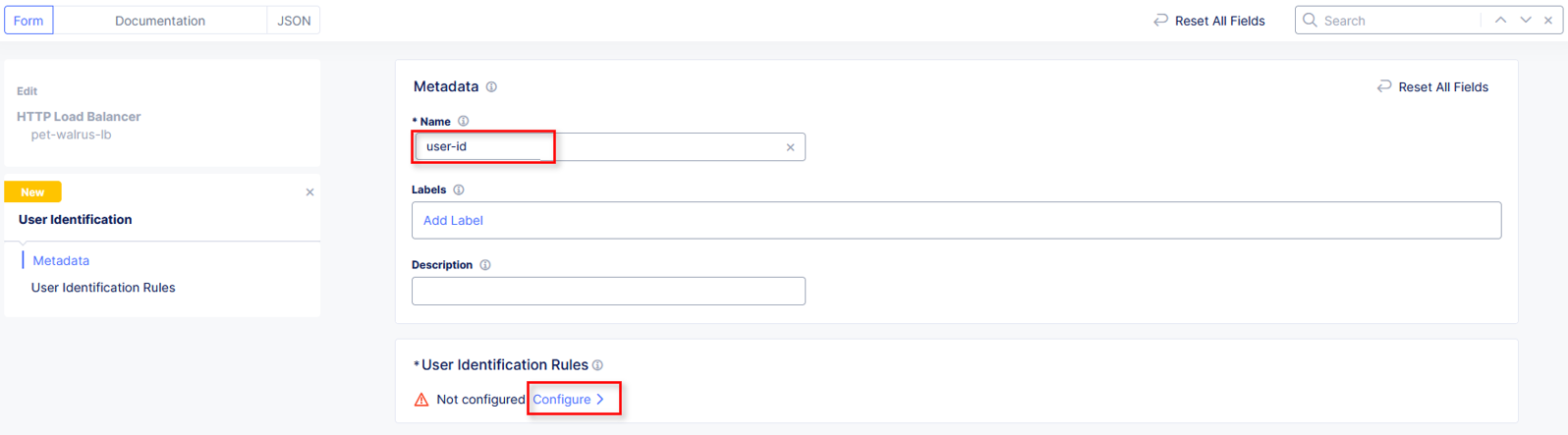
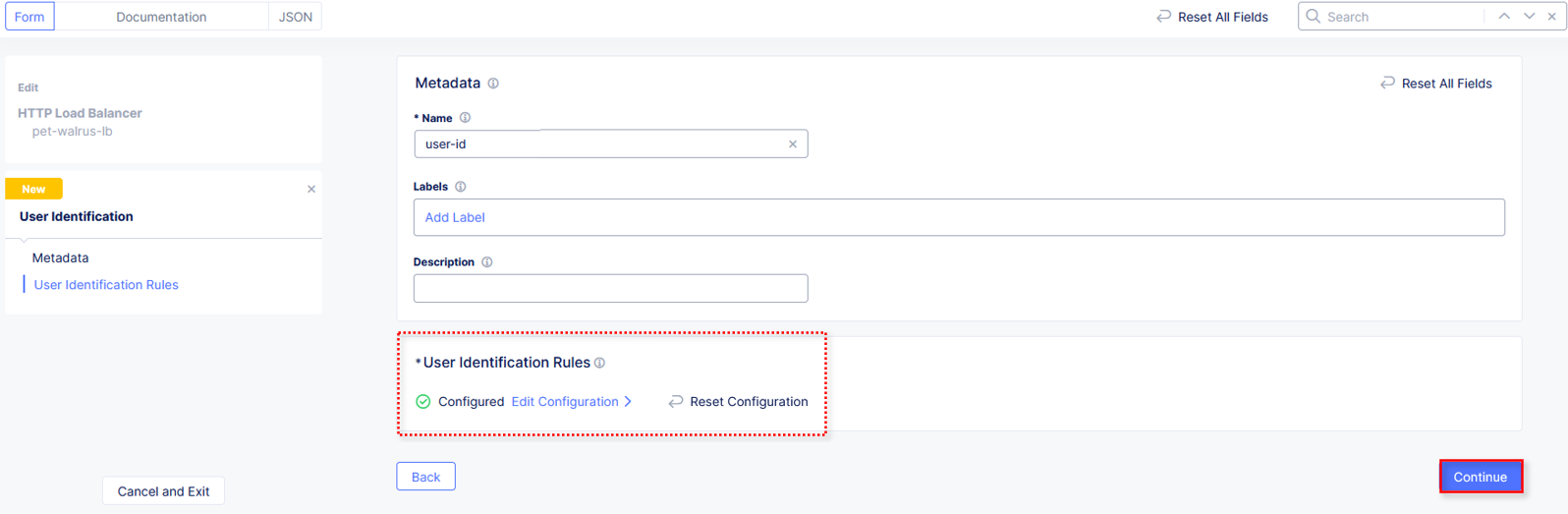
In this task you will build a user identification policy which will be the basis of identifying clients/users for machine learning driven analysis for malicious user mitigation and actions.
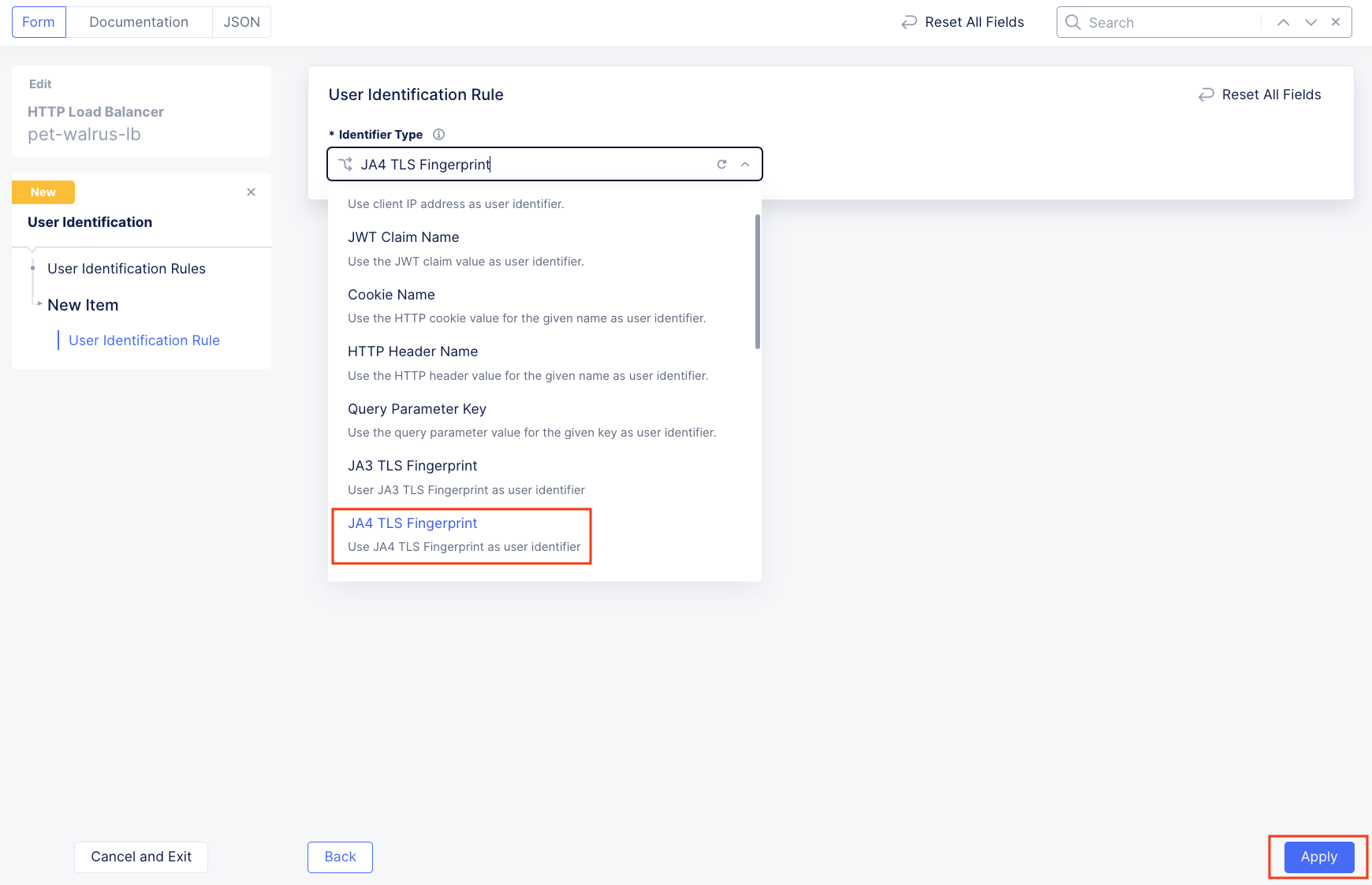
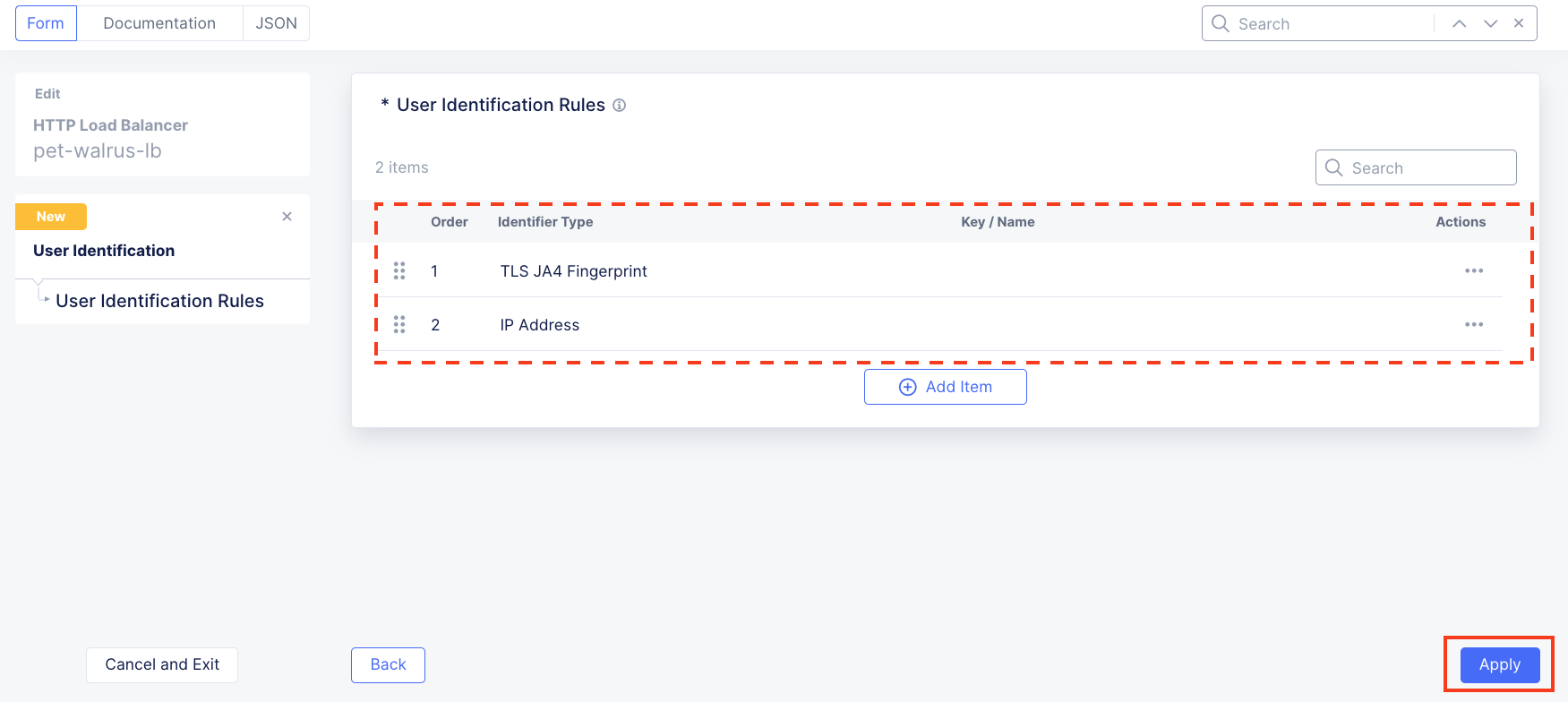
Select JA4 TLS Fingerprint and click Apply.
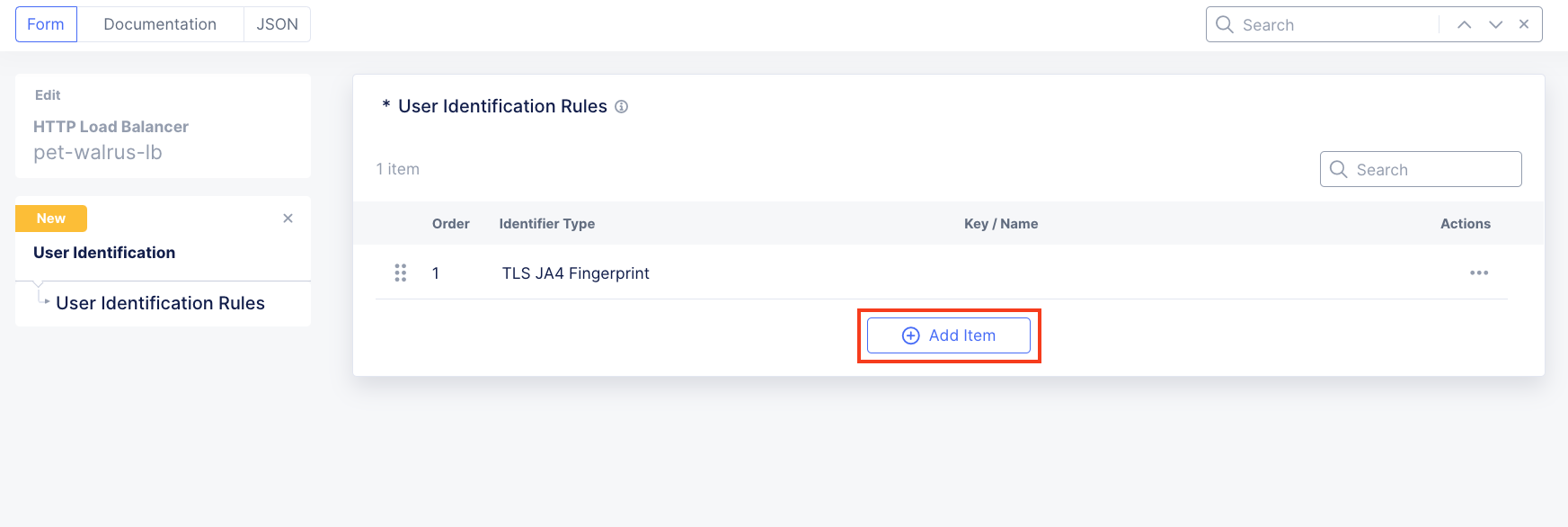
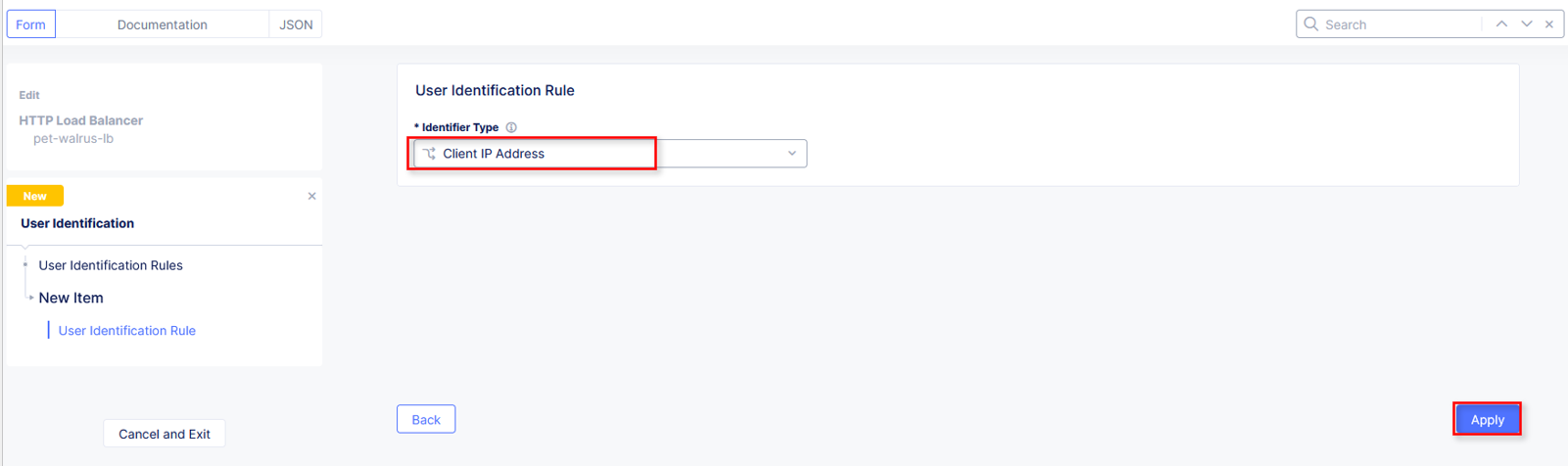
With User Identification Rules, F5 Distributed Cloud can pull in multiple data points as unique indicators to identify an individual user. In addition to the IP address and TLS fingerprint of the browser, Cookies and HTTP Headers can also be leveraged to specifically build policies around the individual users. Now that the users are more specifically identified, let’s move on to how to block malicious users. |
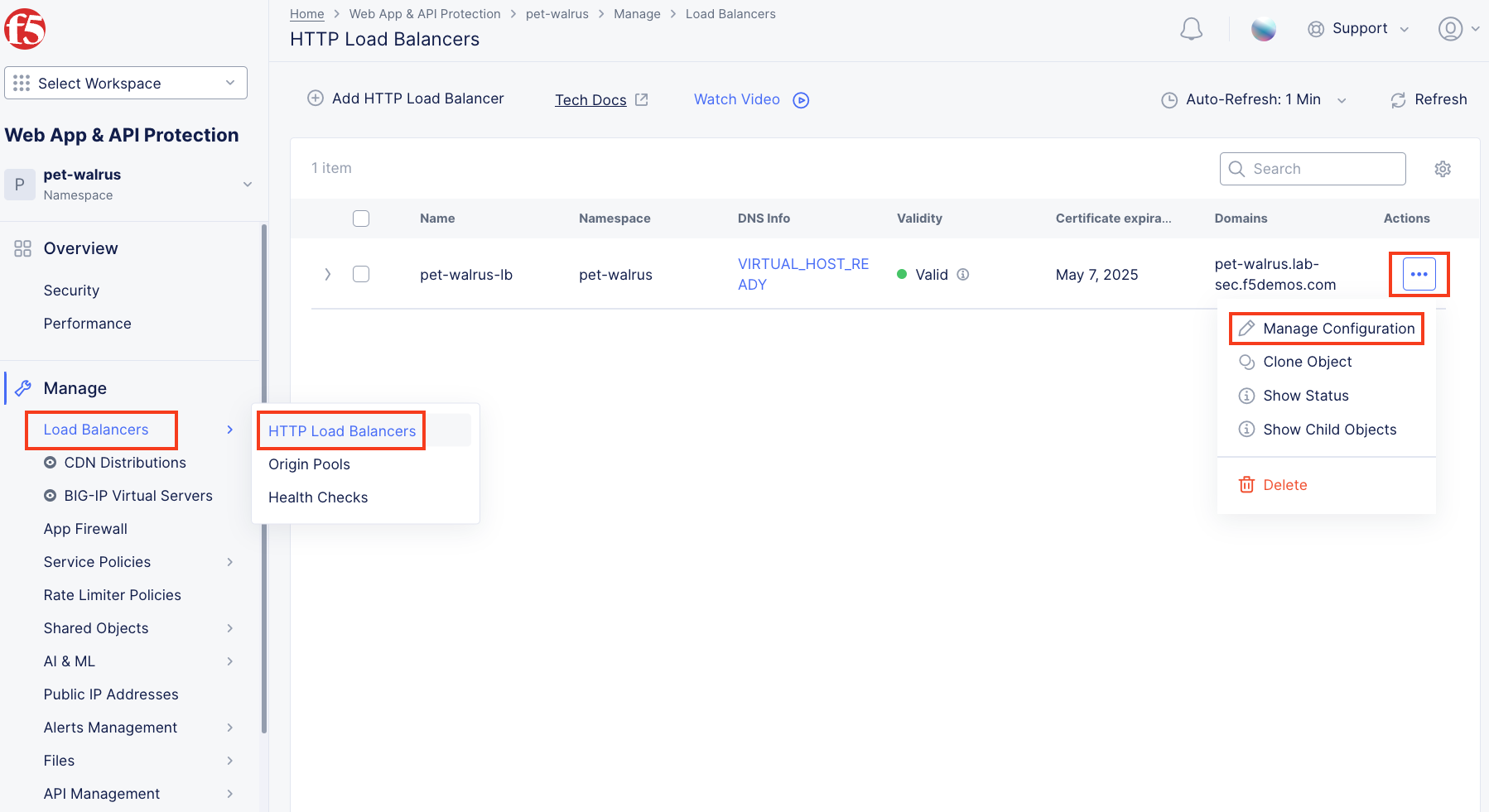
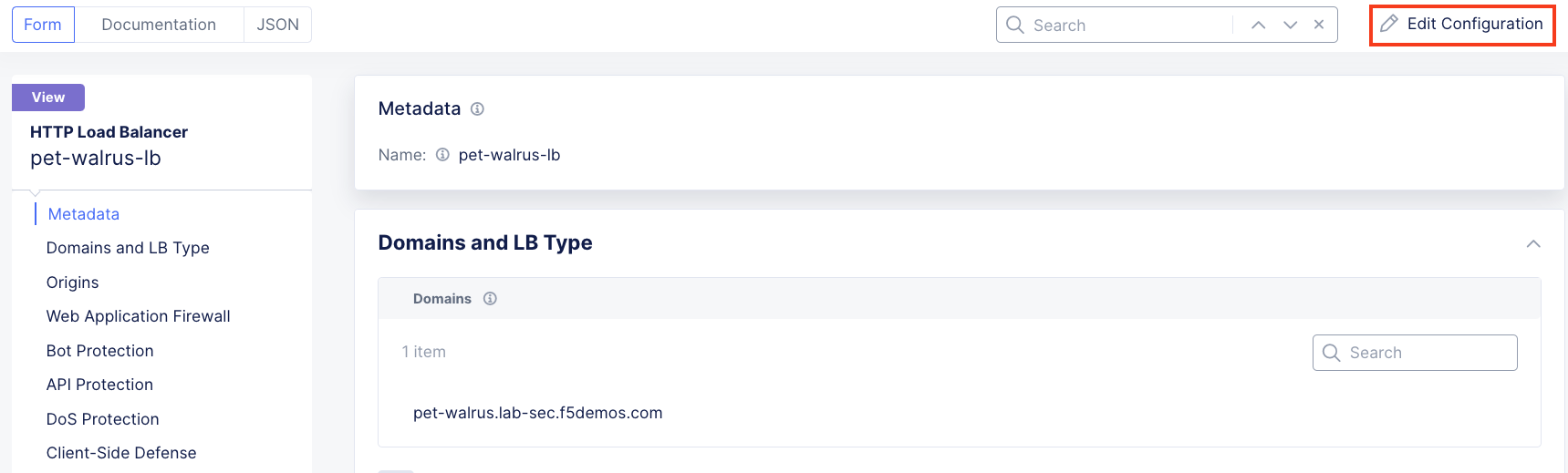
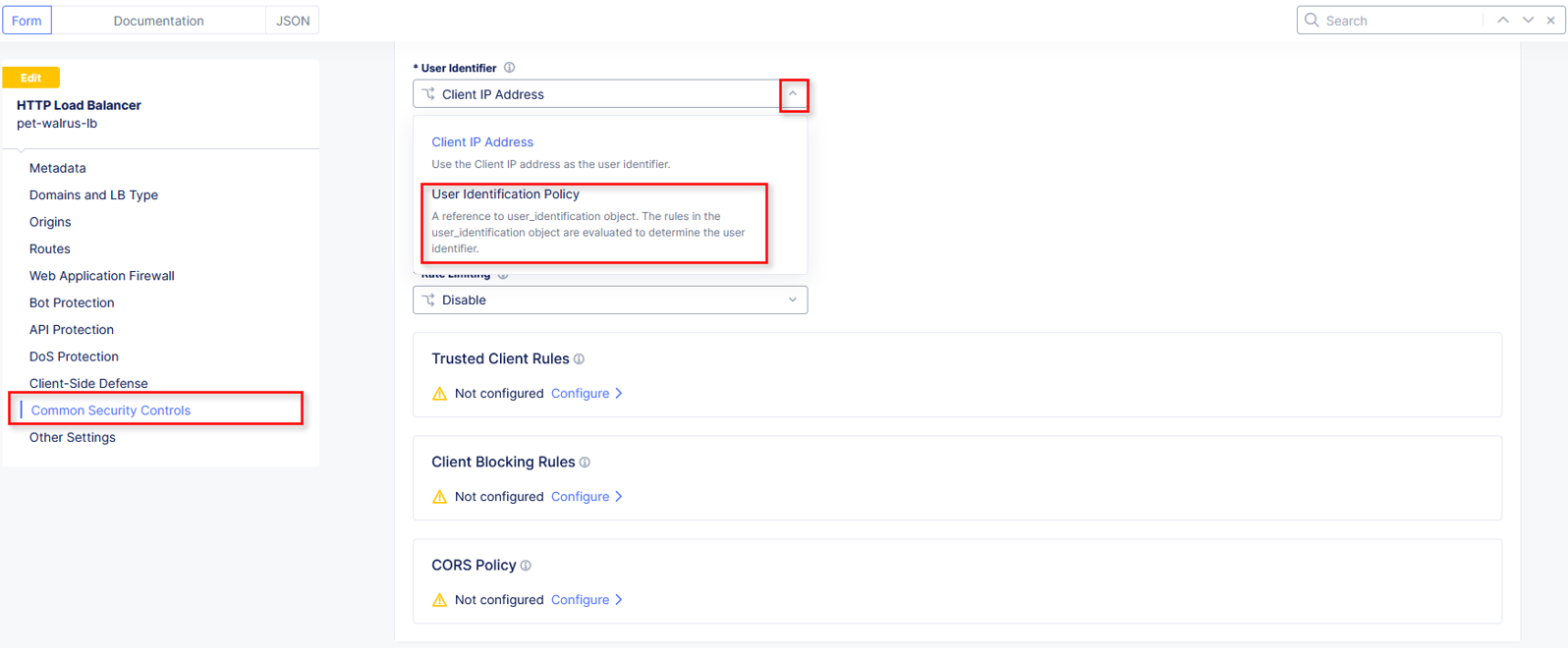
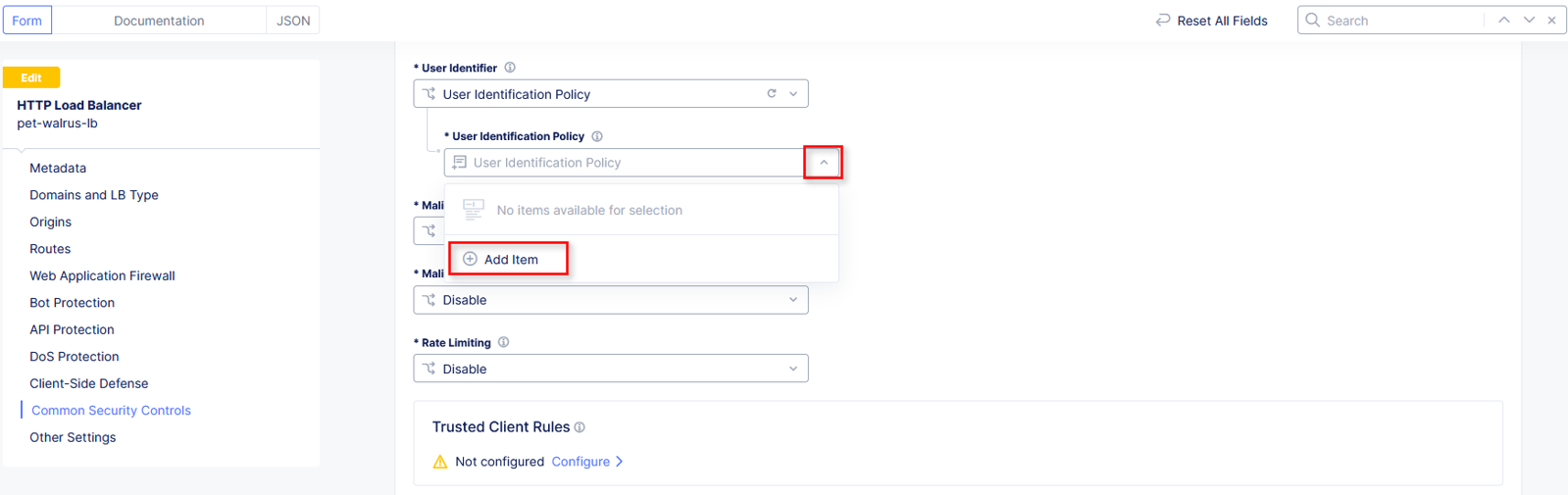

Task 2: Enable Malicious User Detection and Mitigation Actions
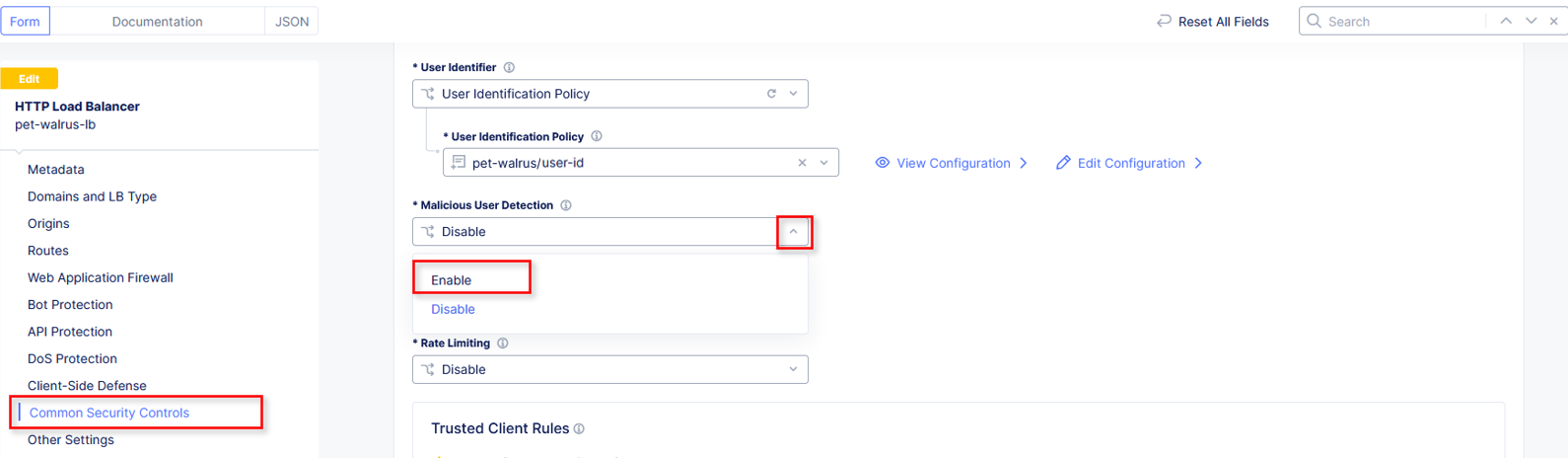
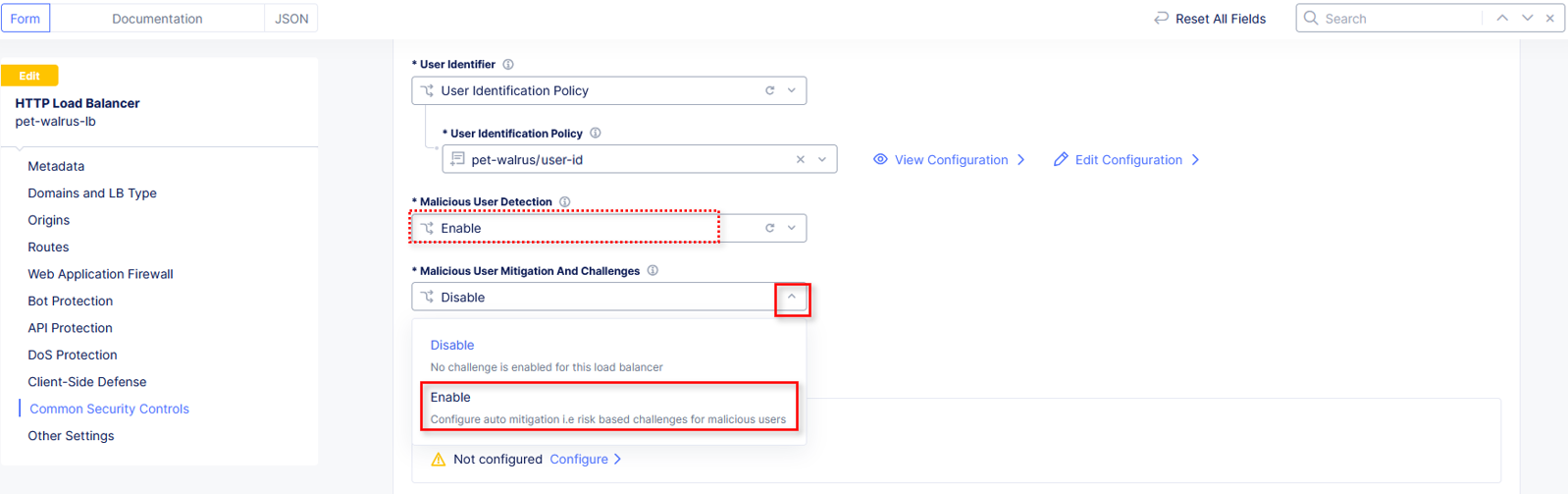
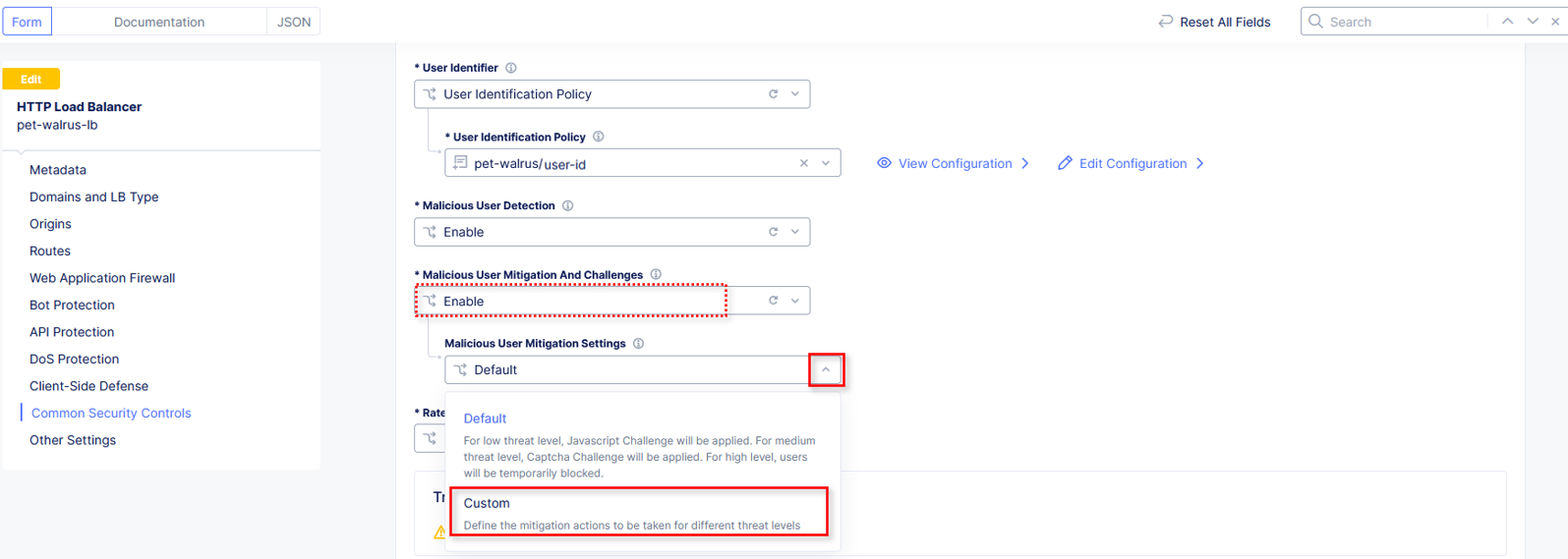
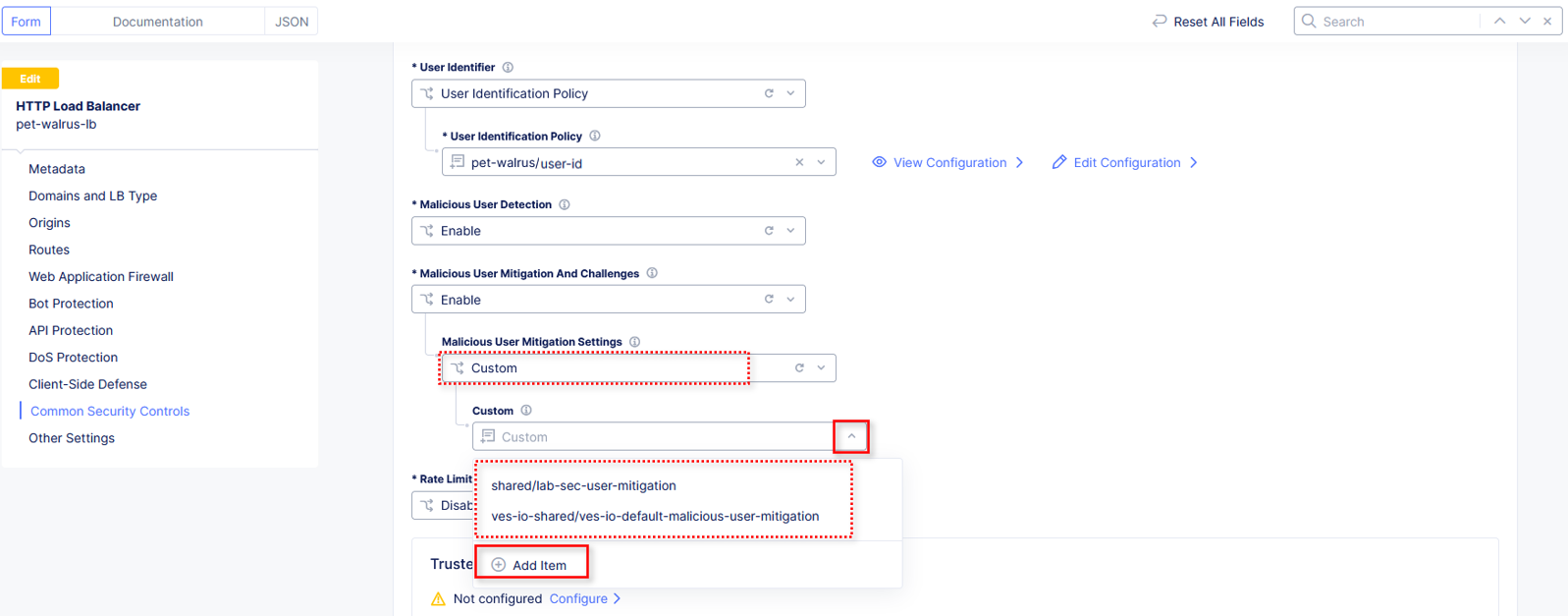
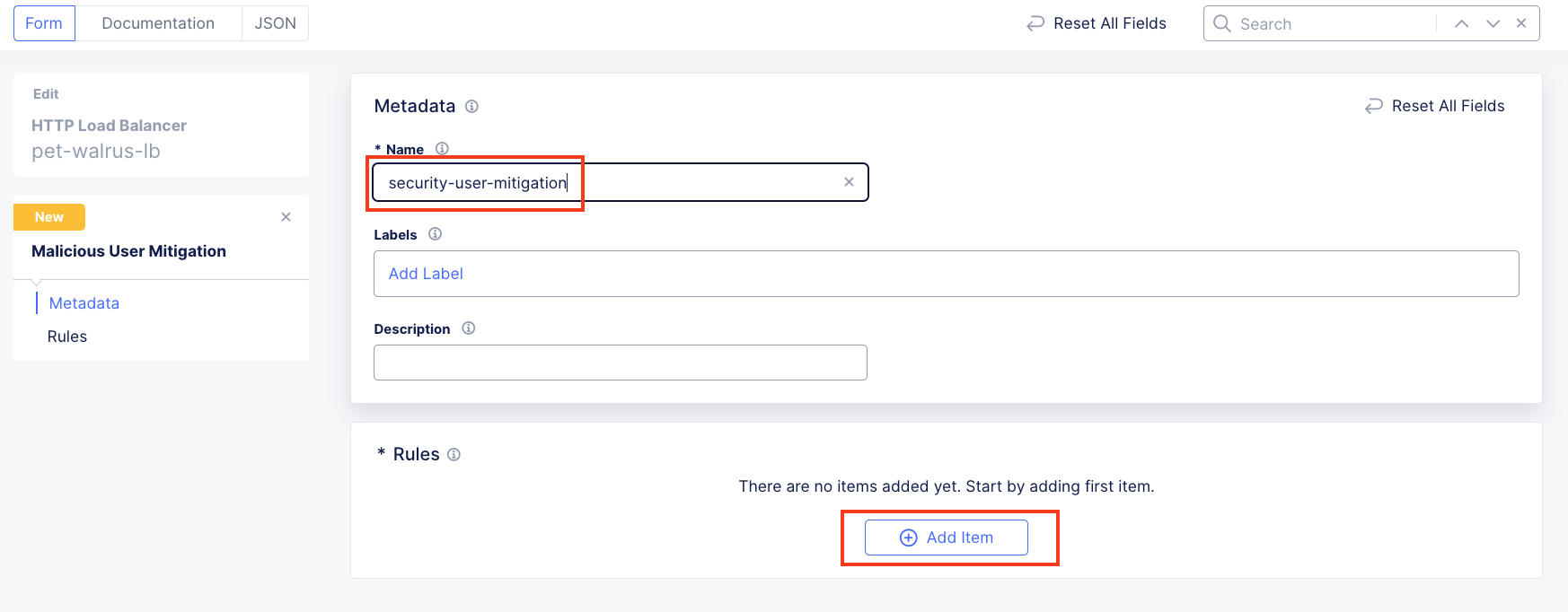
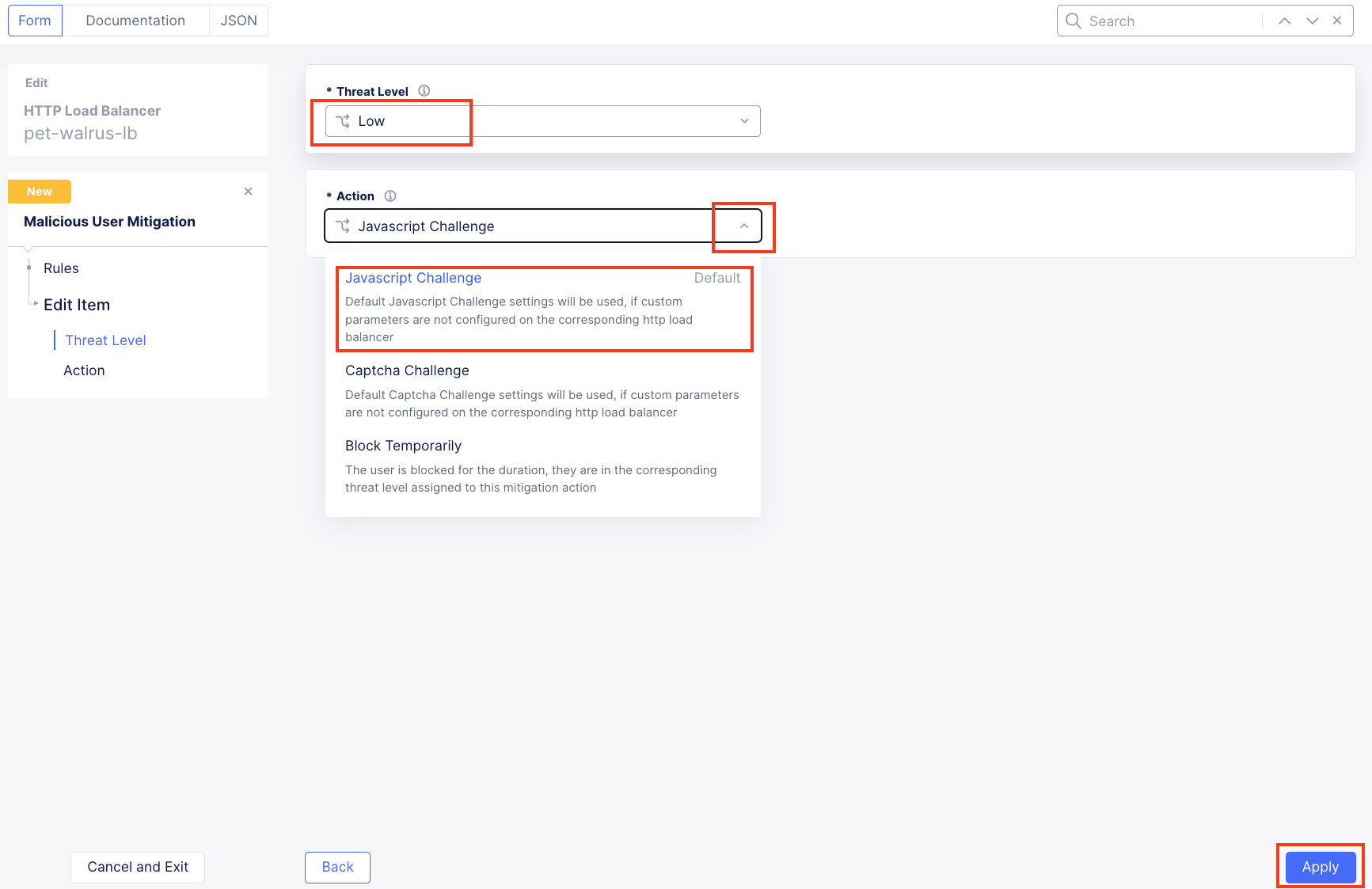
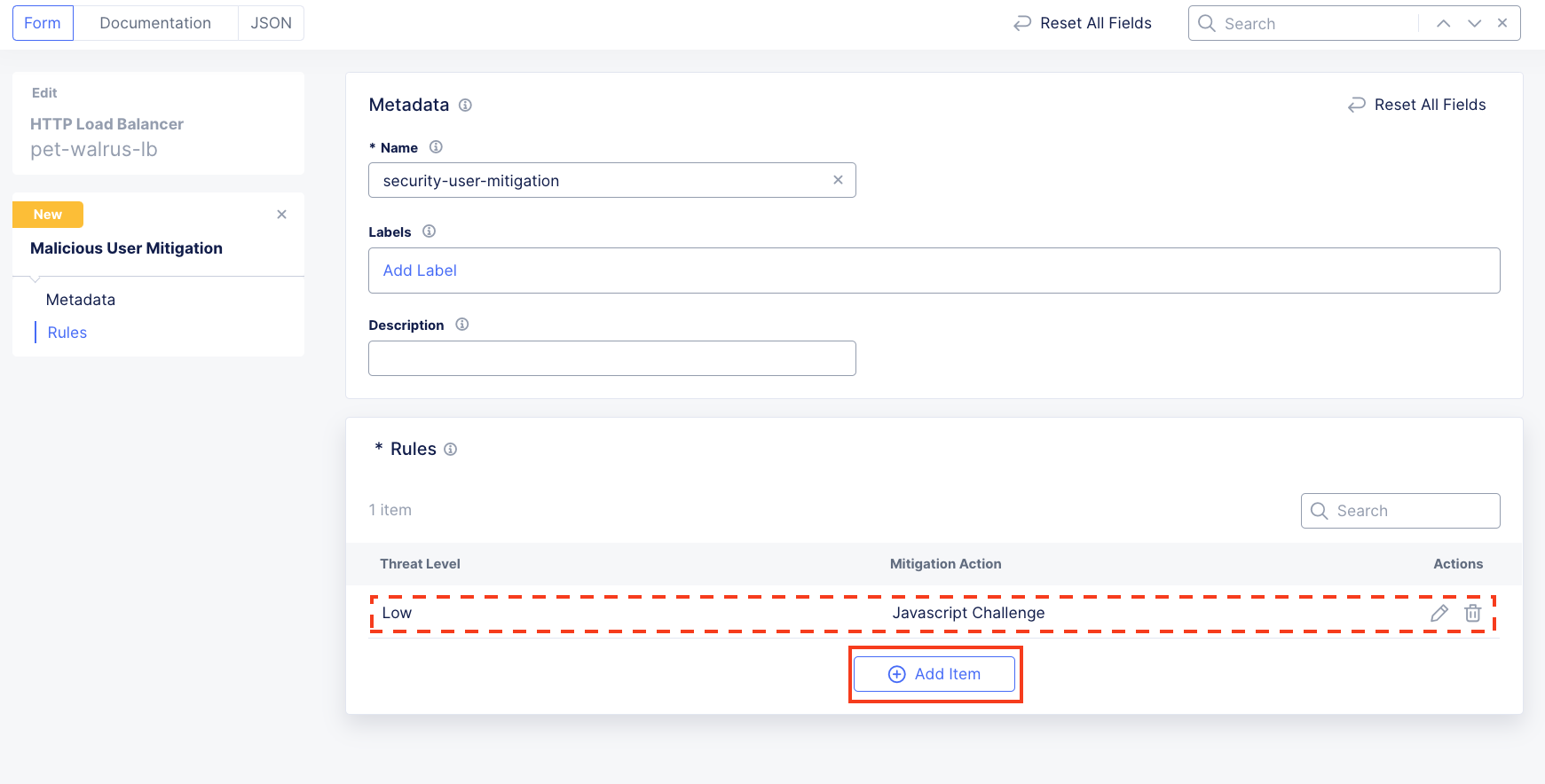
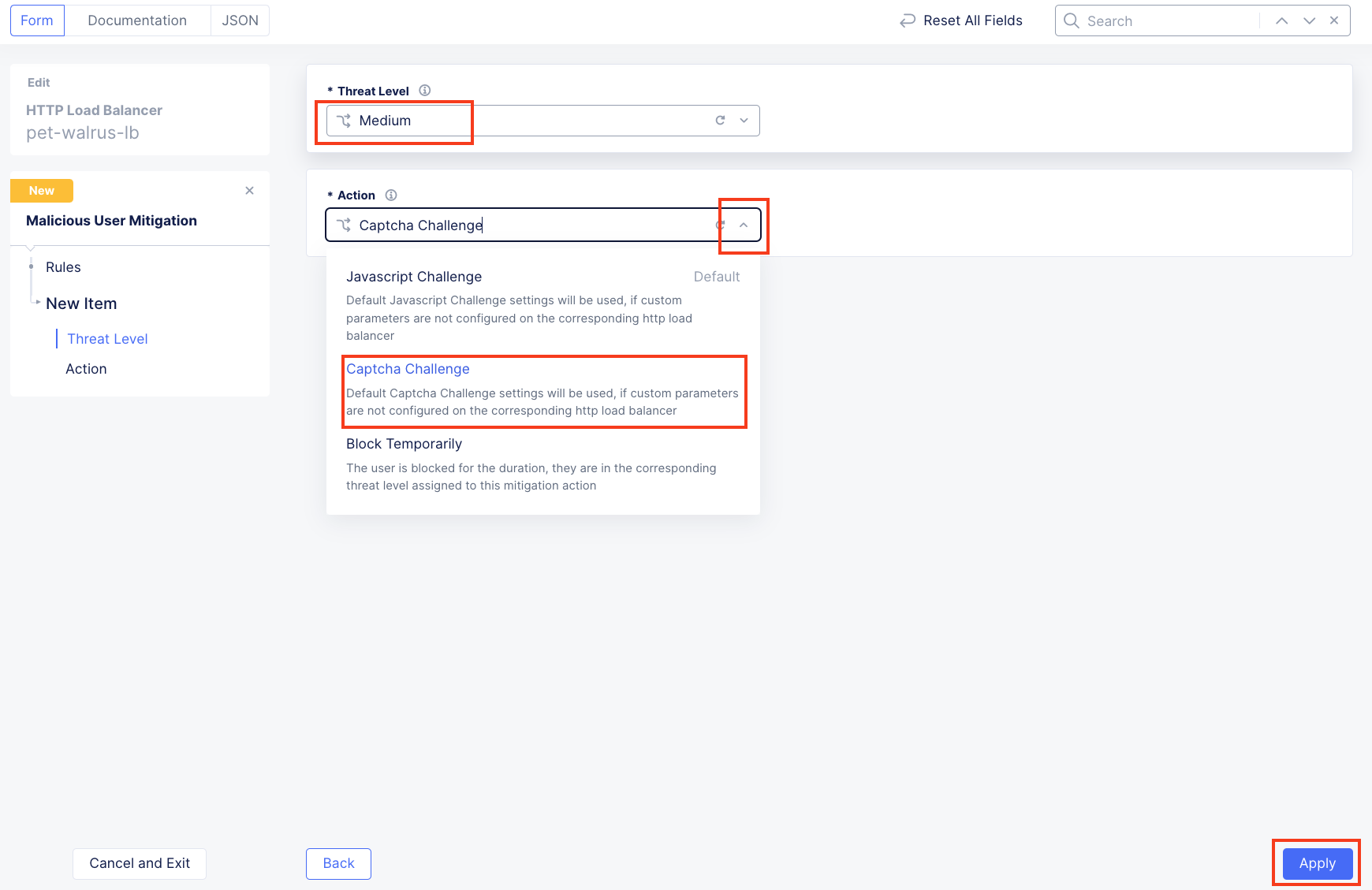
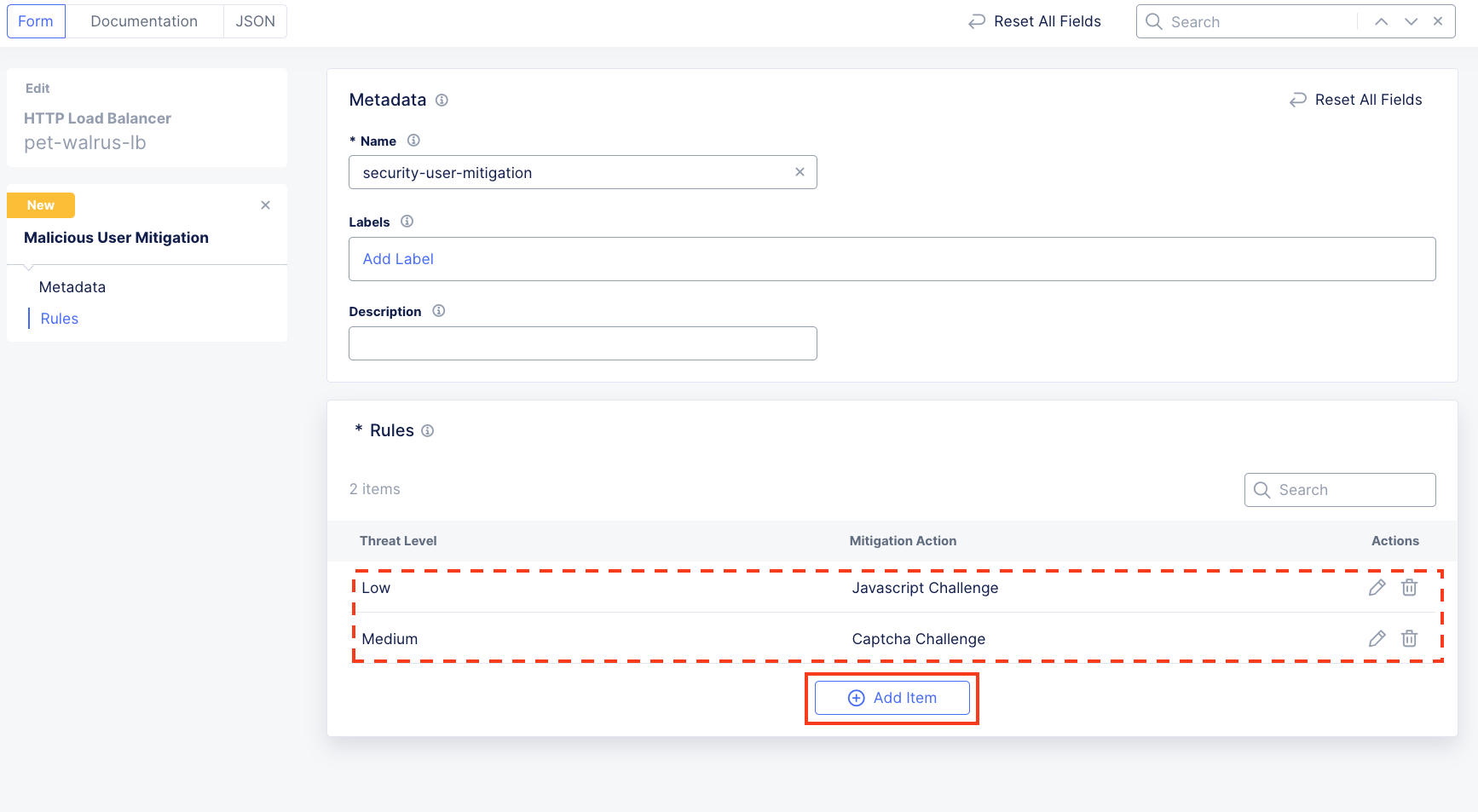
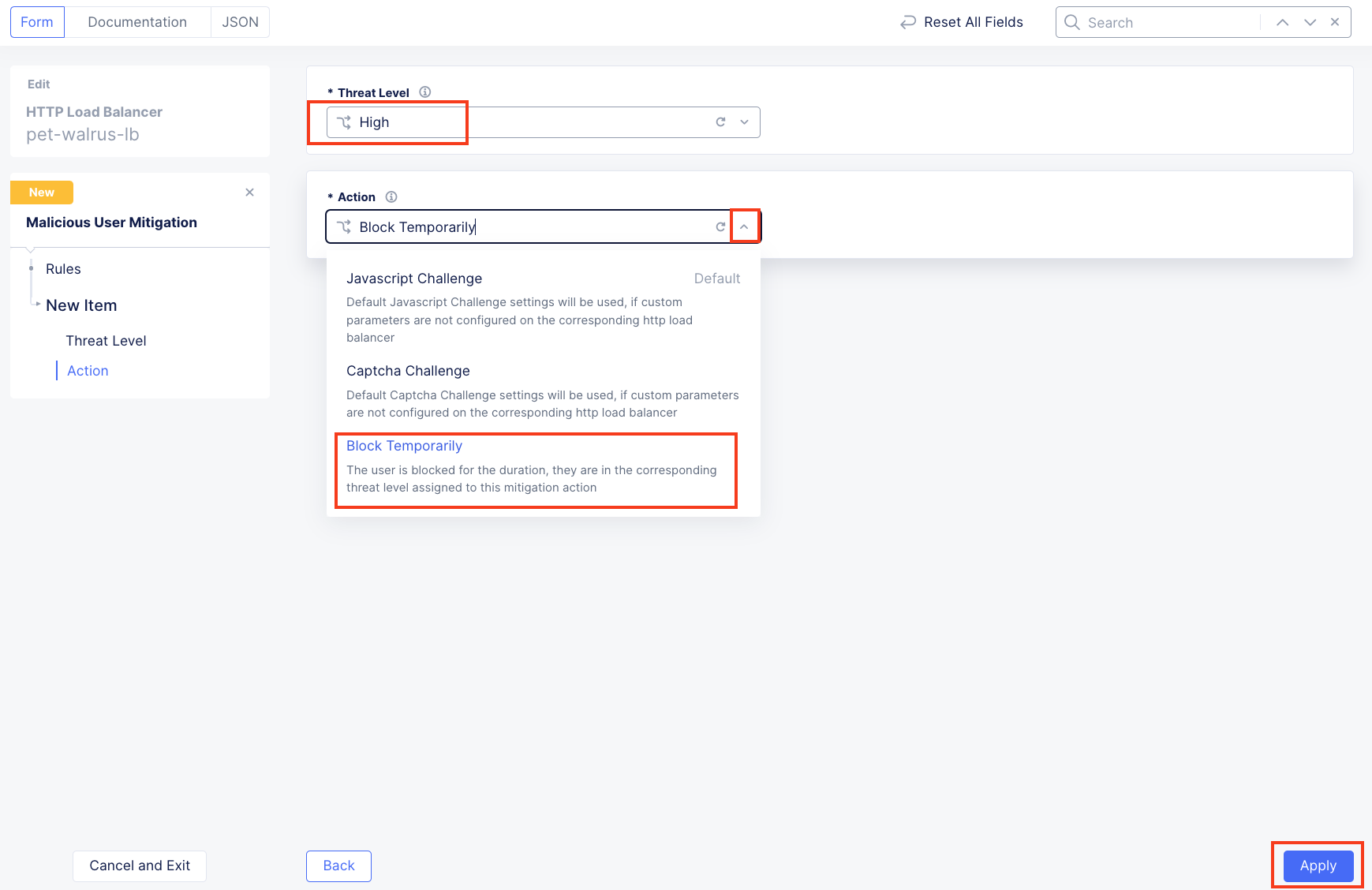
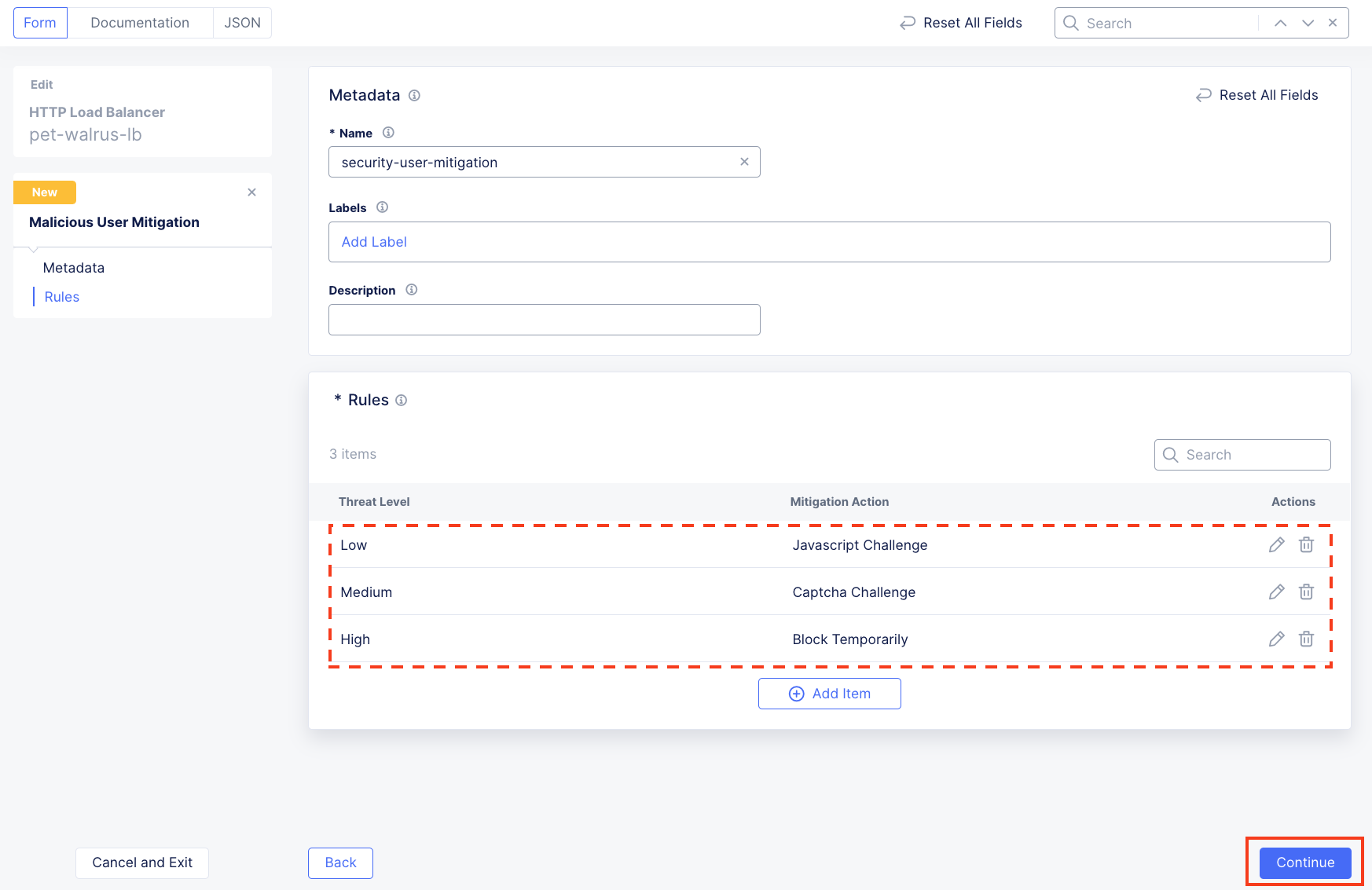
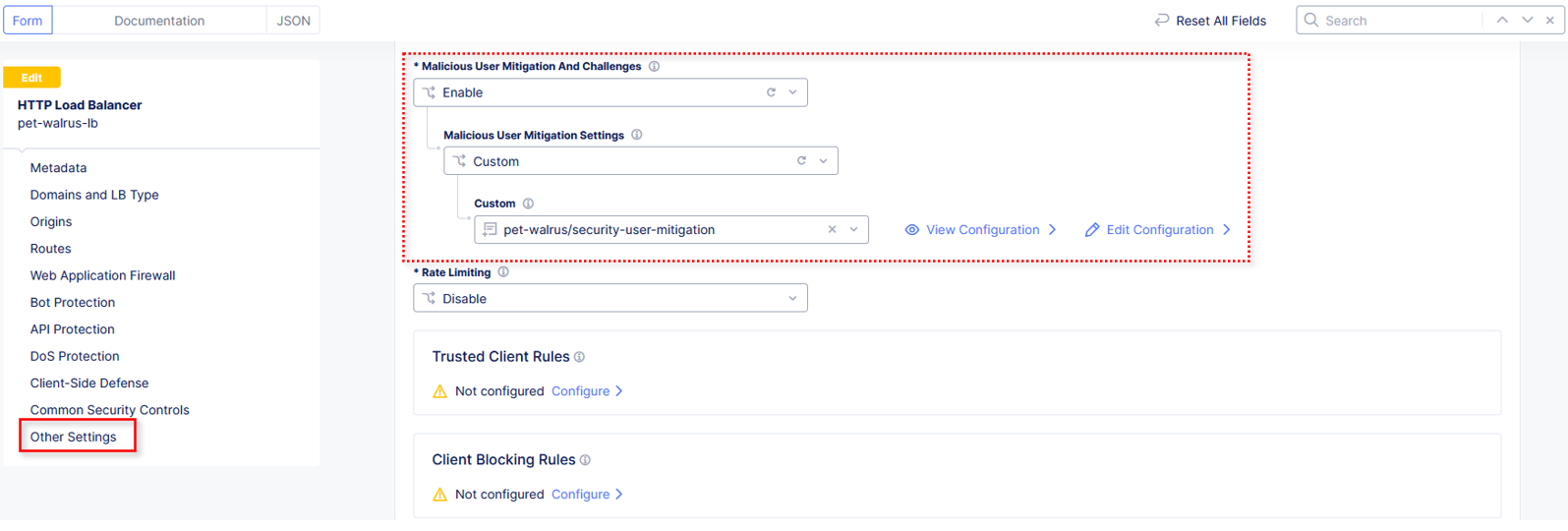
In this task you will leverage the user identification policy just built and then enable malicious user detection and create a malicious user mitigation and challenge.
shared/lab-sec-user-mitigation ves-io-shared/ves-io-default-malicious-user-mitigation Note Using shared namespace Malicious User Mitigation provides the ability to use API-updated mitigation controls to implement common service security across multiple resources.
With a combination of user identification and malicious user policies, ACME Corp can now detect malicious activities and apply mitigation steps. The mitigation steps include issuing JavaScript Challenge or Captcha Challenge or temporary blocking of the user. Malicious User capabilities from F5 Distributed Cloud leverages AI/ML techniques to correlate multiple suspicious user actions together in order to build a risk score around the user. As the risk score goes up, users who are violating the ACME’s security policies can be stopped from accessing the site while other users who are coming from the same public IP can still access the site without issue. |

End of Lab 3: This concludes Lab 3. Feel free to review and test the configuration. A brief presentation will be shared prior to the beginning of Lab 4.